
Angular Mobile Icon
Angular Mobile Icon - Bootstrap 4 & Material Design
Icons are available with very useful component, which will improve experience of working with icons. Icon component is compatible only with Font Awesome 5 icons set.
Installation
- Download current version of Font Awesome,
- Copy all
.ttffiles (can be found underfontawesome-free-5.11.2-web/webfonts), - Open your Angular Nativescript project, go to
srcand create new fonts folder, - Paste the
.ttffiles to thesrc/fonts. - Add following styles to the global stylesheet:
      .far {
        font-family: 'Font Awesome 5 Free', 'fa-regular-400';
      }

      .fab {
        font-family: 'Font Awesome 5 Brands', 'fa-brands-400';
      }

      .fas {
        font-family: 'Font Awesome 5 Free', 'fa-solid-900';
      }
Basic example
Basic example of icons - you can change it's size, color and appearance
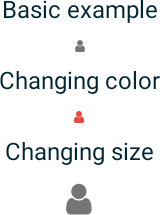
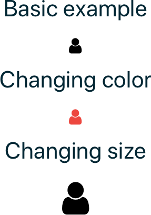
        <FlexboxLayout justifyContent="space-between" alignItems="center" style="width: 150">
          <MDBIcon class="fas" name="user"></MDBIcon>
          <MDBIcon class="fas text-danger" name="user"></MDBIcon>
          <MDBIcon class="fas" size="5x" name="user"></MDBIcon>
        </FlexboxLayout>
Angular Mobile Icon - API
In this section you will find informations about icon and its required modules and available inputs, outputs, methods and events.
Modules used
In order to speed up your application, you can choose to import only the modules you actually need, instead of importing the entire MDB Angular Mobile library. Remember that importing the entire library, and immediately afterwards a specific module, is bad practice, and can cause application errors.
    // MDB Angular Mobile Free
import { MdbIconModule } from 'mdb-angular-mobile'Directive
MdbIcon
Selector: MDBIcon
Type: MdbIconDirective
Inputs
MdbIconDirective
| Name | Type | Default | Description | Example |
|---|---|---|---|---|
name
|
string | ' ' | Allow to set the icon name (appearance). | name="user" |
size
|
'xs' | 'sm' | 'lg' | '2x' | '3x' | '4x' | '5x' | '6x' | '7x' | '8x' | '9x' | '10x' | '' | Allow to set the icon size. | size="5x" |