
Angular Mobile button group
Angular Mobile Button Group - Bootstrap 4 & Material Design
Angular Bootstrap button groups are buttons grouped together in a single line with no space between them. They can be grouped both vertically and horizontally.
This solution allows you to put a number of options the users can choose from.
Examples of Angular Bootstrap button group use:
- Group of pricing options
- Group of licenses you can see on our MDB Pro page
See the following button groups examples:
Basic example
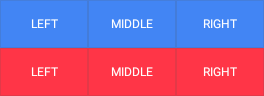
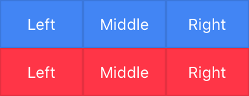
        <StackLayout>
          <MDBBtnGroup>
            <Button mdbBtn text="Left" theme="primary" margin="0"></Button>
            <Button mdbBtn text="Middle" theme="primary" margin="0"></Button>
            <Button mdbBtn text="Right" theme="primary" margin="0"></Button>
          </MDBBtnGroup>
        </StackLayout>
Vertical button group
Use orientation="vertical" input to change the orientation of
the button group.
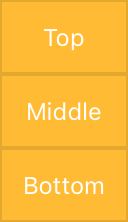
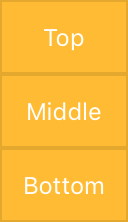
        <StackLayout>
          <MDBBtnGroup orientation="vertical">
            <Button mdbBtn text="Left" theme="primary" margin="0"></Button>
            <Button mdbBtn text="Middle" theme="primary" margin="0"></Button>
            <Button mdbBtn text="Right" theme="primary" margin="0"></Button>
          </MDBBtnGroup>
        </StackLayout>
Alignment
Use alignment input to change the horizontal alignment of the
button group. There are three options available: left, right and center
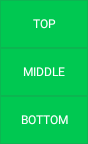
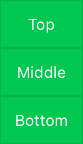
        <StackLayout>
          <MDBBtnGroup orientation="vertical" alignment="center">
            <Button mdbBtn text="Left" theme="primary" margin="0"></Button>
            <Button mdbBtn text="Middle" theme="primary" margin="0"></Button>
            <Button mdbBtn text="Right" theme="primary" margin="0"></Button>
          </MDBBtnGroup>
        </StackLayout>
Angular Mobile Button Group - API
In this section you will find informations about button group and its required modules and available inputs, outputs, methods and events.
Modules used
In order to speed up your application, you can choose to import only the modules you actually need, instead of importing the entire MDB Angular library. Remember that importing the entire library, and immediately afterwards a specific module, is bad practice, and can cause application errors.
    // MDB Angular Mobile Free
    import { MdbBtnGroupModule } from 'mdb-angular-mobile'
Components
MdbBtnGroup
Selector: MDBBtnGroup
Type: MdbBtnGroupComponent
Inputs
MdbBtnGroupComponent
| Name | Type | Default | Description | Example |
|---|---|---|---|---|
alignment
|
string | left | Allow to change alignment of the button group (left, right, center). | orientation="center" |
orientation
|
string | horizontal | Allow to change orientation of the buttons in button group. | orientation="vertical" |