Topic: Change the icon of dropdown

https://mdbootstrap.com/docs/react/components/dropdowns/ In this dropdown component, I want to provide my own image in place of the drop-down icon provided by the library . I want to provide the file path from the project to the icon. Also, I have asked about providing a file path to MDBIcon earlier, which hasn't been answered yet . How to achieve that?

Hi @Palak@tru,
Can you test my code?
import React from 'react';
import {
  MDBDropdown,
  MDBDropdownToggle,
  MDBDropdownMenu,
  MDBDropdownItem,
  MDBIcon
} from 'mdbreact';

const DropdownPage = () => {
  return (
    <MDBDropdown>
      <MDBDropdownToggle color='primary'>
        With My custom Icon <MDBIcon fab icon='angellist' className='ml-2' />
      </MDBDropdownToggle>
      <MDBDropdownMenu basic>
        <MDBDropdownItem><MDBIcon fab icon='angellist' className='ml-2' /></MDBDropdownItem>
        <MDBDropdownItem>Another Action <MDBIcon fab icon="angrycreative" /></MDBDropdownItem>
        <MDBDropdownItem>Something else here <MDBIcon icon="award" /></MDBDropdownItem>
        <MDBDropdownItem divider />
        <MDBDropdownItem>Separated link</MDBDropdownItem>
      </MDBDropdownMenu>
    </MDBDropdown>
  );
};

export default DropdownPage;
It looks like this 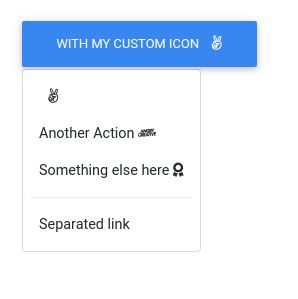
Why you need path to MDBIcon file?
If you don't know how to use MDBIcon please check this documentation and here you can find a list of icons.
Can you also send me a link to your issue with the icons?
Best regards, Konrad.
Palak@tru commented 2 years ago
I want to add an image of the icon from the third library, the path of which is stored in my asset folder . Generally, it is working when I use the icon from the MDB library. But I want to provide the path from my folder . How to achieve that?
Konrad Stępień staff commented 2 years ago
Did you check my answer in this issue, Provide file path to icon?
I think the easiest way to add own custom icon to button or something is to add this with css styles and background-image property.
Please refer to the above problem. I think the way is right for your needs.
Best regards, Konrad.
Palak@tru commented 2 years ago
Sorry, my bad! I didn't get the notification for that answer. I will check it and let you know. Thank you :)
Konrad Stępień staff commented 2 years ago
Haha, no problem, @Palak@tru. :)
If there is anything else I could do for you do not hesitate to ask me. I'll be happy to help you.
Best Regards, Konrad.
Answered
- User: Free
- Premium support: No
- Technology: React
- MDB Version: 4.19.0
- Device: MacBookAir
- Browser: Chrome
- OS: Mac
- Provided sample code: No
- Provided link: Yes