


3D Pamesa
Create your own 3D environments with the whole range of ceramic tile materials from PAMESA Cerámica.

Presentation
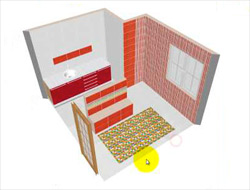
Fancy designing your own bathroom? Do you want to imagine your kitchen made over in bright bold colours? Or see the living room of your dreams before your own eyes? Well now you can in your own time, simply and in the comfort of your own home, and what’s more it’s totally free!
With the 3D PAMESA program you can have fun creating your own environments easily and see them in three dimensions, using the wide range of products from Pamesa Cerámica. Have a look at our tutorial and design the house of your dreams!
Download
Frequently Asked Questions - FAQ
1. I get an error message when I try to install the program.
This can happen for various reasons. The most common are:
Pop-up windows are blocked: check that you don’t have any pop-up blockers or firewall option enabled.
2. Proxy problem:
Disable your proxy temporarily, open the program and click on the PAMESA CERAMICA icon in the top left-hand corner, then click on the Internet connection Options button and type in your Proxy information.
3. Do I always have to be connected to Internet?
Yes.
4. The application takes a long time to load.
This process depends on the speed of your connection.
5. I can’t see or place a product I have chosen.
If it’s a new product that you haven't chosen before, you need to be connected to the Internet.
Minimum requirements
Windows XP, Vista or 7 (with Vista and 7 you may need to disable your user account control, depending on the level of your security settings)
Graphics card with OpenGL support – we recommend Nvidia Gforce
10Mb of free space on your hard drive for the application. The space you need may be higher if you import new products from the catalogue.
- Microsoft Internet Explorer 6 with the standard security definitions.
Minimum screen resolution: 800x600 – we recommend upwards of 1024x768 (the higher the resolution, the larger the images and the bigger the space you have to work in).
Small or normal sized fonts (96DPI)