Topic: Navy Blue and Black skins
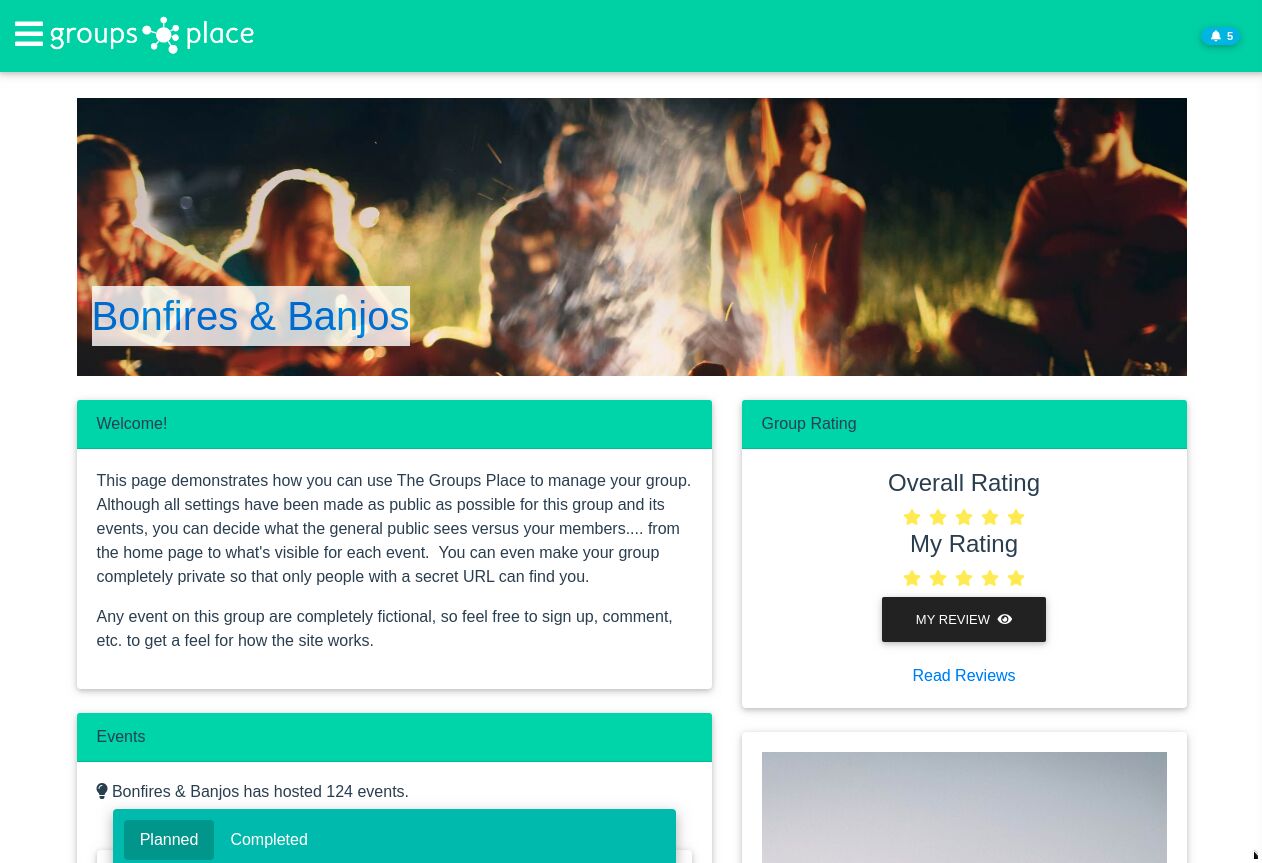
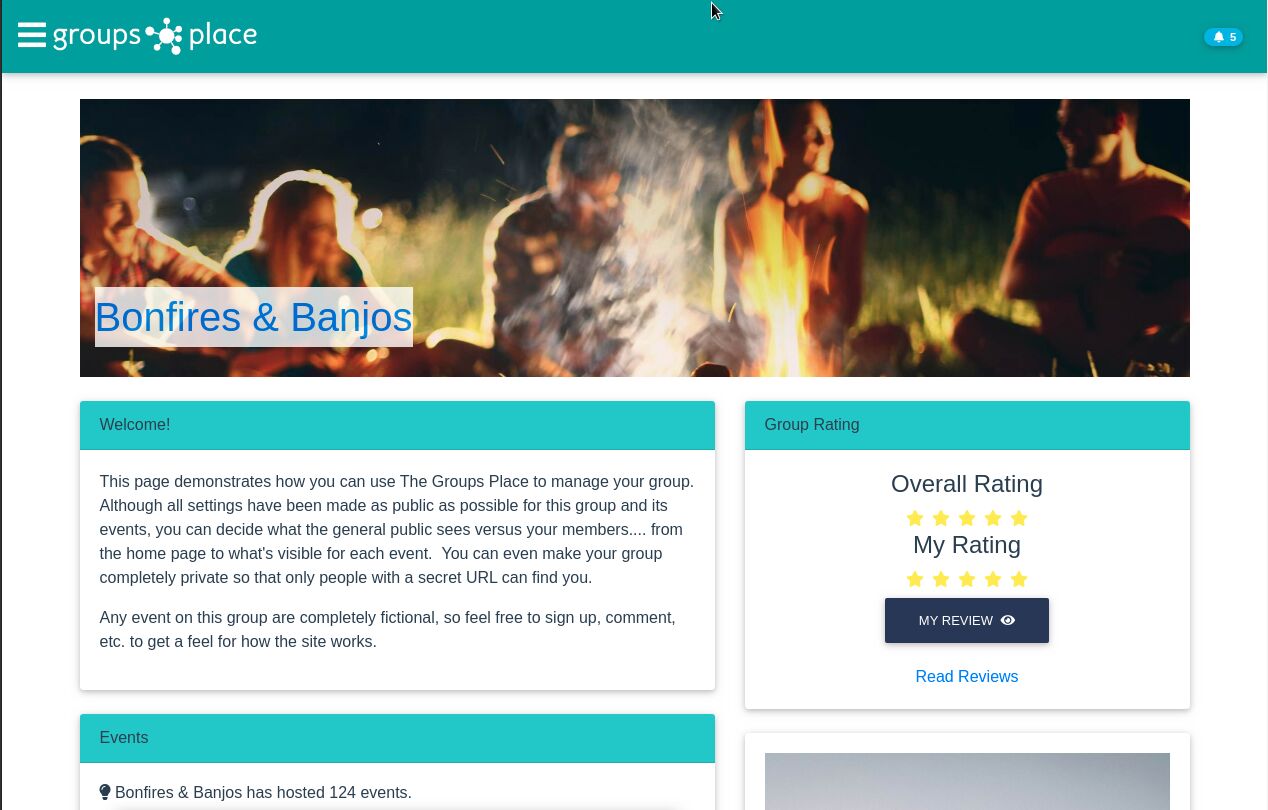
I have been experimenting with the different skins provided, and they all seem to work as advertised with the exception of black-skin and navy-blue. Both have shades of green instead of the intended colors.
See screen shots below of the two skins and the colors. The first is black and the second is navy. Some elements like buttons and the background for the menu appear as the correct color for the skin, while card headers, etc. do not.

Thanks for reporting the issue. I'll discuss the possible fixes with MDB DESIGN TEAM.
Best regards
chiplueck pro premium commented a year ago
Thanks, Mikołaj. Do you know when/if this will be fixed? I'm giving my users the option to pick the skin they wish to use and need to know if I should remove these two skins from their choices or not. Thanks!
Mikołaj Smoleński staff commented a year ago
It's a plan for this or next quarter of year. For this moment I suggest comment these two skins. Best regards

As of release 6.7.1, this is still not fixed. Is it still on the plan to be resolved?
Mikołaj Smoleński staff commented 10 months ago
This task is waiting to be completed, but unfortunately I can't give you a specific date when it's ready.
Answered
- User: Pro
- Premium support: Yes
- Technology: Vue
- MDB Version: 6.2.0
- Device: All
- Browser: All
- OS: All
- Provided sample code: No
- Provided link: No