Topic: Custom Theme and SIdeNav Display

Expected behavior SidNav Bar should open and display.
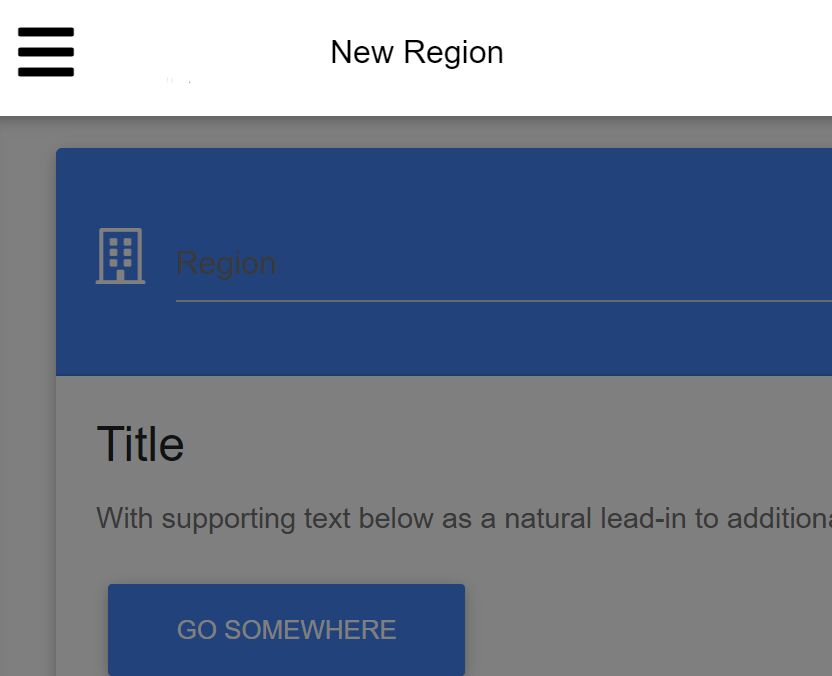
Actual behavior Overlay displays but nothing else currently.
Resources (screenshots, code snippets etc.) What I am doing is starting my custom skin to accomplish this I have imported the following in my own SCSS file
$image-path: '/img';
@import 'ams-theme';
@import '~mdbvue/lib/scss/mdb-pro';
@import url('https://fonts.googleapis.com/css?family=Roboto:300,400,500,700&display=swap');
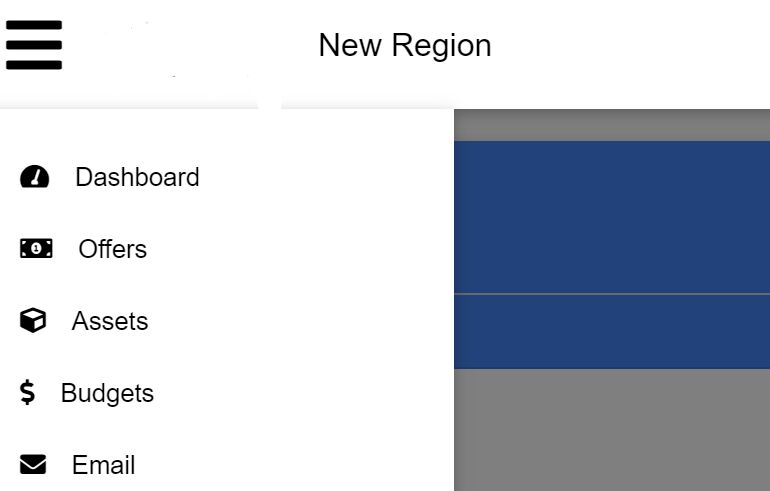
This appears to work fine except for the sidenav does not display properly. Now if I add the import for the prebuilt MDB in my main.js like the following. It works if I toggle it on and off. This appears to be the only thing broken.
import 'bootstrap-css-only/css/bootstrap.min.css';
// import 'mdbvue/lib/css/mdb.min.css';
import './assets/styles/app.scss';
import '@fortawesome/fontawesome-pro/css/all.min.css';
Here is an example with it commented out.
And again with it uncommented.

In your main.js file there should be imported different css file. If you picked Editable sccs option you should have the following file in your main.js:
import 'mdbvue/lib/mdbvue.css'
Please add it to main.js and let me know if the issue still occurs.
Best regards
KaffineAddict commented a year ago
I am importing and therefore including the entire mdb-pro scss though already wouldn’t that include the needed css once built. It seems to include most of it but a few things are not working. For example the material inputs work fine but side and topnav do not.
Following this guide in the editable scss section I have all the includes I need it doesn’t say anything about needing to also include the css file either.
https://mdbootstrap.com/docs/vue/getting-started/quick-start/
Mikołaj Smoleński staff commented a year ago
Thanks for reporting it. We will update guide till the next release. For this moment please add the missing import to your main.js file.
Best regards
Answered
- User: Free
- Premium support: No
- Technology: Vue
- MDB Version: 6.1.1
- Device: Laptop
- Browser: Chrome
- OS: Windows
- Provided sample code: No
- Provided link: No