Topic: Change CSS styling in Sidenav Items

Expected behavior
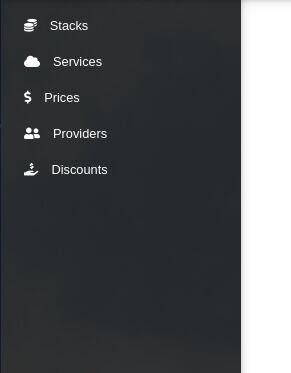
Sidenav Items should be having bigger size.
Actual behavior
Sidenav Items are having smaller size.
Resources (screenshots, code snippets etc.)
Status
Open
Specification of the issue
- User: Pro
- Premium support: Yes
- Technology: Vue
- MDB Version: 6.7.0
- Device: laptop
- Browser: Chrome
- OS: Ubuntu
- Provided sample code: No
- Provided link: No
Tags
Related topics
Mikołaj Smoleński staff commented 10 months ago
Here's the latest demo page -> https://vue.mdbootstrap.com/#/navigation/pro/sidenav2
In my opinion everything is fine with the sizes.
Best regards