Topic: table-editor date

I have the need to edit dates in a table-editor object. While undocumented, I can set 'date' as the inputType for a given column and amazingly enough, it works however it uses the default datepicker.
<span class="pun">{</span><span class="str">"label"</span><span class="pun">:</span><span class="pln"> </span><span class="str">"Expiration Date"</span><span class="pun">,</span><span class="pln"> </span><span class="str">"field"</span><span class="pun">:</span><span class="pln"> </span><span class="str">"expirationDate"</span><span class="pun">,</span><span class="pln"> </span><span class="str">"sort"</span><span class="pun">:</span><span class="pln"> </span><span class="kwd">true</span><span class="pun">,</span><span class="pln"> </span><span class="str">"inputType"</span><span class="pun">:</span><span class="pln"> </span><span class="str">"date"</span><span class="pun">}</span>
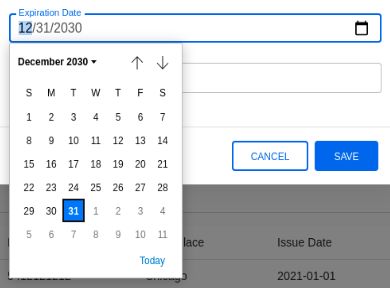
The problem is that I would really like to MDB Datepicker component as the default date picker does not look as nice as your component.
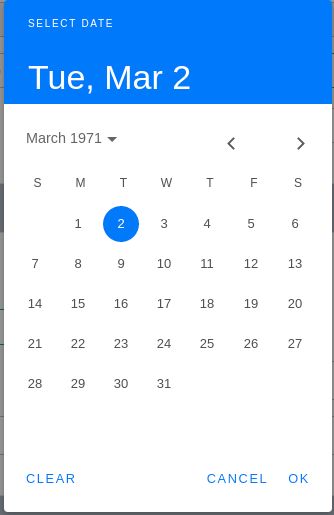
Is this an enhancement that can be added? I have the pro version and the source and could probably edit it myself, but I would need the webpack build configuration information in order to do so.
Any thoughts or help is greatly appreciated. Thanks!

Also try adding a CSS class datepicker and after opening the modal try init datepicker:
const myDatepicker = new mdb.Datepicker(document.getElementById('myDatepicker')
Answered
- User: Pro
- Premium support: Yes
- Technology: MDB 5
- MDB Version: 3.2.0
- Device: any
- Browser: any
- OS: any
- Provided sample code: No
- Provided link: No