Topic: React multiselect not working properly

Expected behavior When clicked, it should drop down and show avalible options.
Actual behavior When clicked, noting happens
Resources (screenshots, code snippets etc.)
I'm using copied code from the documentation;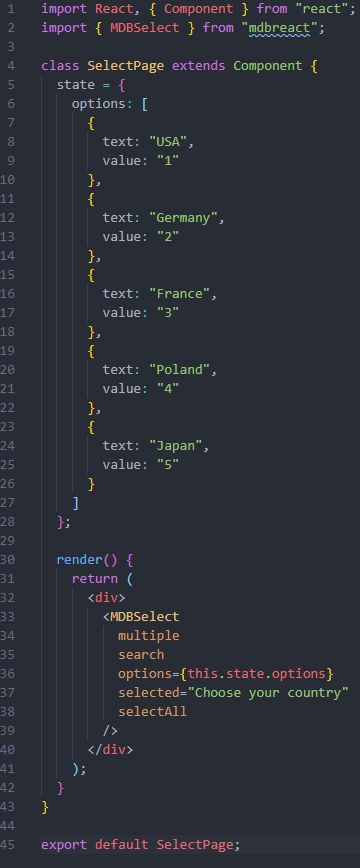

Hi,
you have to import styles before app import's like that:
import React from 'react';
import ReactDOM from 'react-dom';
import './index.css';
import '@fortawesome/fontawesome-free/css/all.min.css';
import 'bootstrap-css-only/css/bootstrap.min.css';
import 'mdbreact/dist/css/mdb.css';
import App from './App';

import * as serviceWorker from './serviceWorker';

ReactDOM.render(<App />, document.getElementById('root'));
Best,
Piotr
felixisaac.dev commented a year ago
Yes, I have imported the styles;
import React from 'react'; import ReactDOM from 'react-dom'; import App from './App'; import * as serviceWorker from './serviceWorker'; import "@fortawesome/fontawesome-free/css/all.min.css"; import "bootstrap-css-only/css/bootstrap.min.css"; import "mdbreact/dist/css/mdb.css"; import "./assets/css/index.css"
Piotr Glejzer staff commented a year ago
You are importing styles in the wrong direction. First styles then App. Look at my example. Thanks. Have a nice day.
felixisaac.dev commented a year ago
Oh, thanks. So sorry for wasting your time :)
Piotr Glejzer staff commented a year ago
It's not a problem. I'm here to help :) Have a nice day again!
Resolved
- User: Free
- Premium support: No
- Technology: React
- MDB Version: 4.22.1
- Device: Desktop
- Browser: Chrome
- OS: Windows
- Provided sample code: No
- Provided link: No