Topic: Issue with Checkbox in MDBDataTable using Pagination in it

**Expected behavior**
Using checkbox in 'MDBDataTable' with pagination there is one issue with it... When I click on checkbox of a particular position of data table (For example 1st row of the data table) of 1st page, than checkbox of all other pages automatically selected at same position.Means if I check any checkbox of any row of any page, its automatically checked same position(row) of all other pages.
**Actual behavior**
Using checkbox in 'MDBDataTable' with pagination there is one issue with it... When I click on checkbox of a particular position of data table (For example 1st row of the data table) of 1st page, than checkbox of all other pages automatically selected at same position.Means if I check any checkbox of any row of any page, its automatically checked same position(row) of all other pages.
**Resources (screenshots, code snippets etc.)**
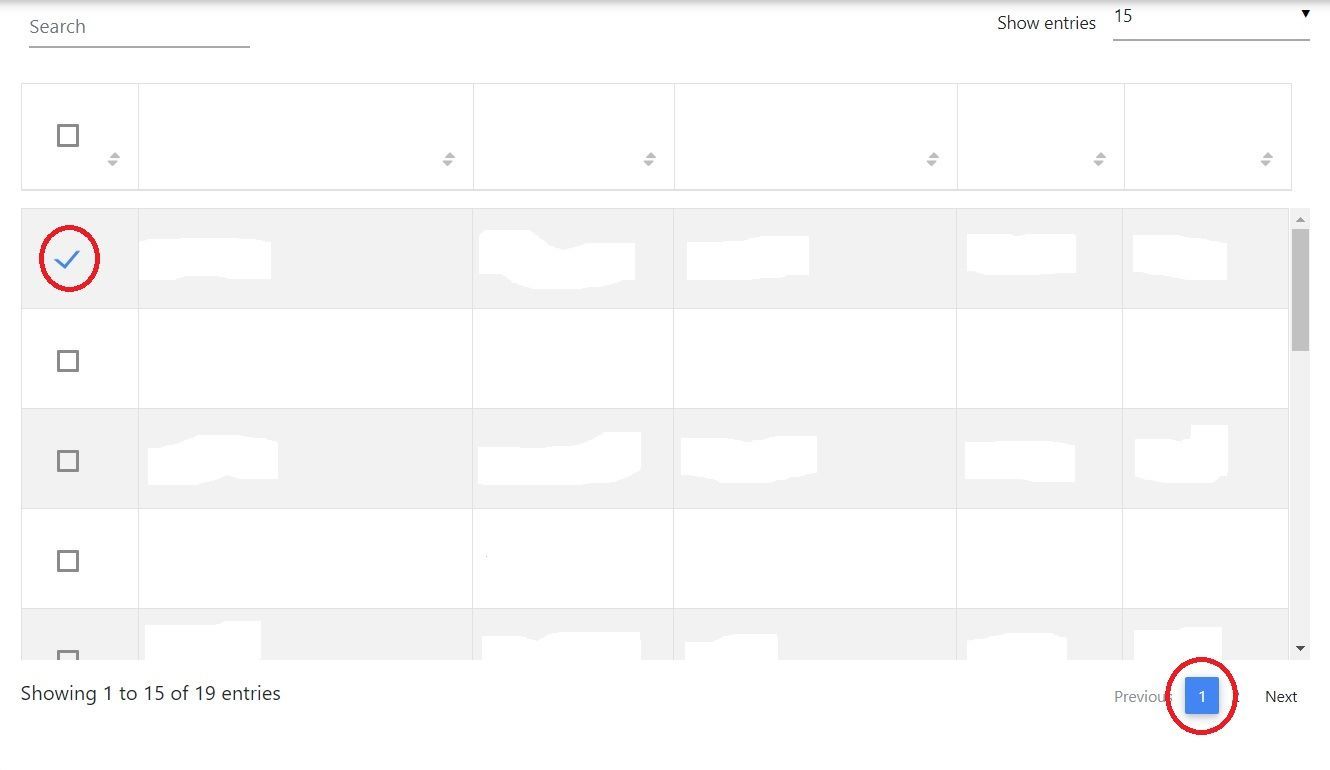
1) In image one I have select 1st row of the table of page 1...
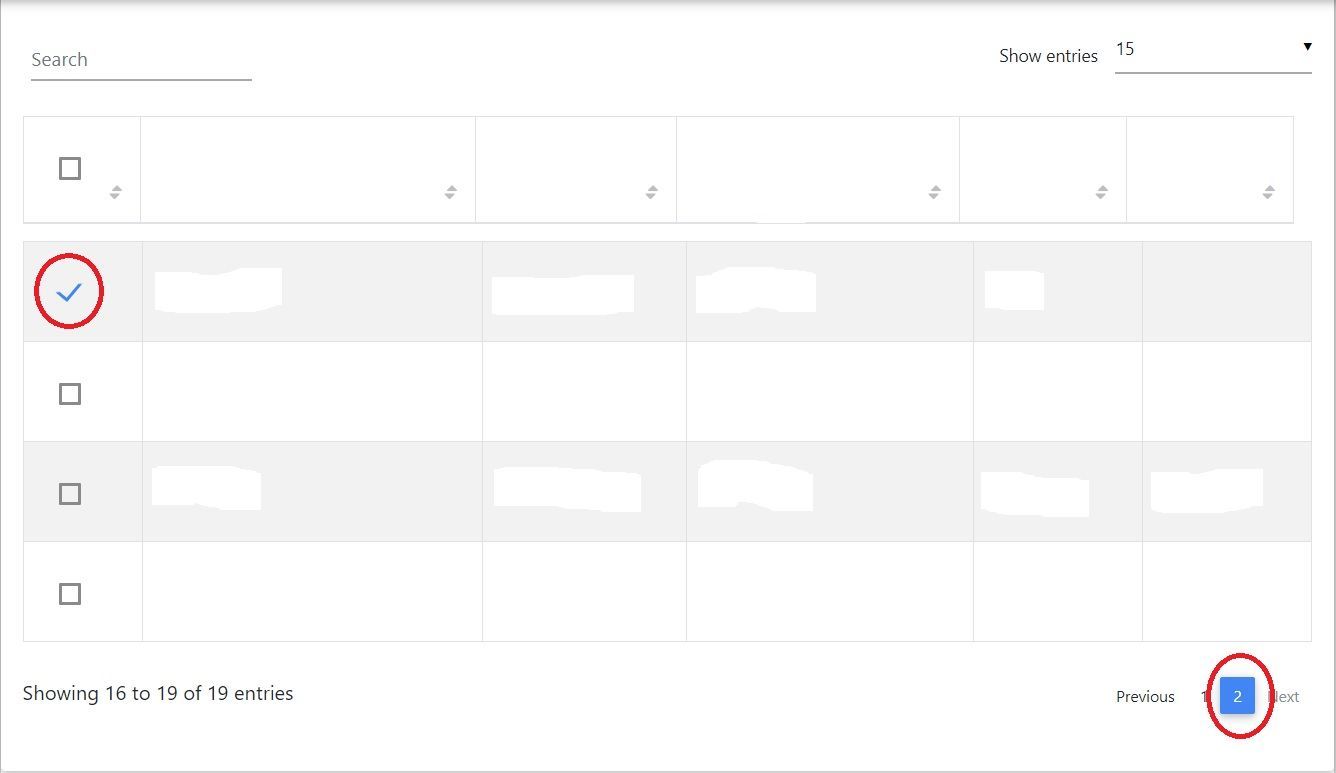
2) In image Two Checkbox of 1st row of data table automatically checked of page 2...

Thank you for finding a bug.
Could you show me a code sample of this datatable ?
Best, Kuba
harmis commented a year ago
Hello @Jakub Chmura you follow this link for example https://afkar-staging.sharedt.com/#/client/datatable-demo
Jakub Chmura staff premium commented a year ago
Hi @harmis, You need to try to change your state management, I think there is a problem.
We had this issue on our support forum many times last time and in every case, state management wasn't implemented properly.
Best, Kuba
vivek manavadariya commented a year ago
hi @Jakub Chmura can you show me exact example for this because so many user get this issue with MDB checkbox in datatable.
Jakub Chmura staff premium commented a year ago
You can show me an example of your code, or give access to the repository, then I can try to help you.
vivek manavadariya commented a year ago
Hello @Jakub Chmura i update my file in github you can see here the code for checkbox Link: https://github.com/vivekp9690/checkbox-issue/blob/master/datatable.js
Jakub Chmura staff premium commented a year ago
I see you use only one state for the entire data component to manage checkboxes. You need to manage each checkbox according to your own state. Then you will be able to manage the checkbox state, regardless of which page it is on.
Best, Kuba
vivek manavadariya commented a year ago
@Jakub Chmura hello can you give me any demo for this?
Jakub Chmura staff premium commented a year ago
Hi @vivek manavadariya, Ok, now I think I could be a bug in our component, we need to check if it's our fault and test it. Try to do my workaround ( as I said above, every checkbox should have their own state.) on your own, it's not complicated and I think it should work. But when this solution will not work in your case. You should wait for our fix. We will try to publish a solution for problem with data tables and checkboxes as soon as possible.
Best Kuba

I am facing the same issue in different way. In my case, I have the main screen from where selecting some values and clicking on button data goes to popup and popup will also have the same scenario. The problem is while clicking on the popup screen's checkbox is effecting my previous screen checkbox. Can you help me to resolve it?
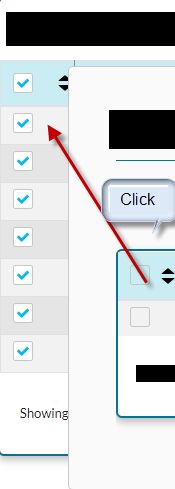
Hi @Yawar ALI,
Can you send me a minimal code sample that I can play and check what's going on?
Most users use checkboxes with wrong state management.
Best, Kuba
Answered
- User: Free
- Premium support: No
- Technology: React
- MDB Version: 4.23.0
- Device: Computer
- Browser: Chrome
- OS: windows
- Provided sample code: No
- Provided link: No