Topic: How to disable select till a value is given in previous selects

*Expected behavior*The next Select components cannot be selected till the first select component has a value given
*Actual behavior*All selects remain active. On other frameworks, I can simply give an option of "disabled = true" and change it with a state event change to "disabled = false" but does not exist on MDB-Bootstrap-React. Maybe this is done another way?
Note: Disabled allows for the select to exist but remain unclickable till the value changes to false.
Resources (screenshots, code snippets etc.)
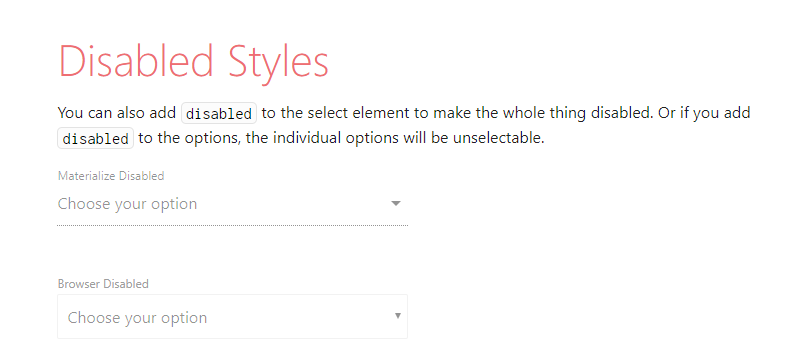
Edit 1 : With new Examples of Process
Example via Materalize CSS Framework: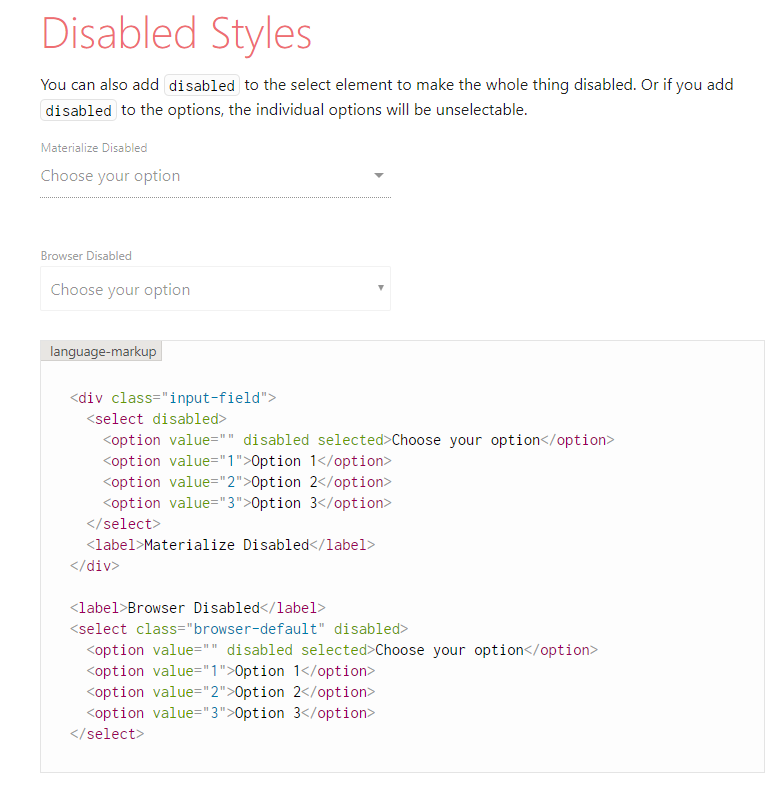 Link of Demo: https://materializecss.com/select.html ^ Materalize simply disables the select from being clickable and used. I mainly use this to allow for the user to select only whats necessary from the form.
Example via React-Materalize (Open Sourced React components using Materialize CSS)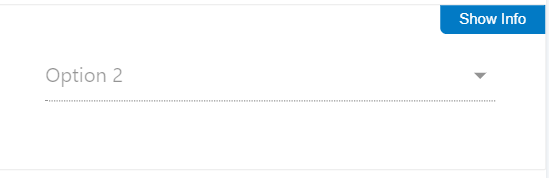
The Select has options built into it but is just disabled so no user can change the value or select anything. Link of Demo: http://react-materialize.github.io/react-materialize/?path=/story/components-select--disabled
React Code Snippet for React-Materialize Select disabled
<br><Select disabled value="2"><br> <option value="1"><br> Option 1<br> </option><br> <option value="2"><br> Option 2<br> </option><br> <option value="3"><br> Option 3<br> </option><br></Select><br>
Answered
- User: Free
- Premium support: No
- Technology: React
- MDB Version: 4.25.1
- Device: Web
- Browser: Google Chrome
- OS: Windows 10
- Provided sample code: No
- Provided link: Yes
Piotr Glejzer staff commented a year ago
Do you have a example of this problem? thanks.
Garciat427 commented a year ago
I added Edit 1 with examples of how the other framework did it.
Piotr Glejzer staff commented a year ago
Yes, you are right. I add this attribute to our select. It will available in the next release. Have a nice day.