Topic: MDB CLI gives Internal Server Error, Status 500 on mdb init

Expected behavior After logging on to MDB, and running mdb init, expected to see built demo application.
Actual behavior After logging on to MDB, got message:
(node:17496) Warning: Setting the NODE_TLS_REJECT_UNAUTHORIZED environment variable to '0' makes TLS connections and HTTPS requests insecure by disabling certificate verification.
Status was zero, Login successful".
Then attempted mdb init, same node(17496 error) then result was
Status was 500, Internal Server Error.
Resources (screenshots, code snippets etc.)
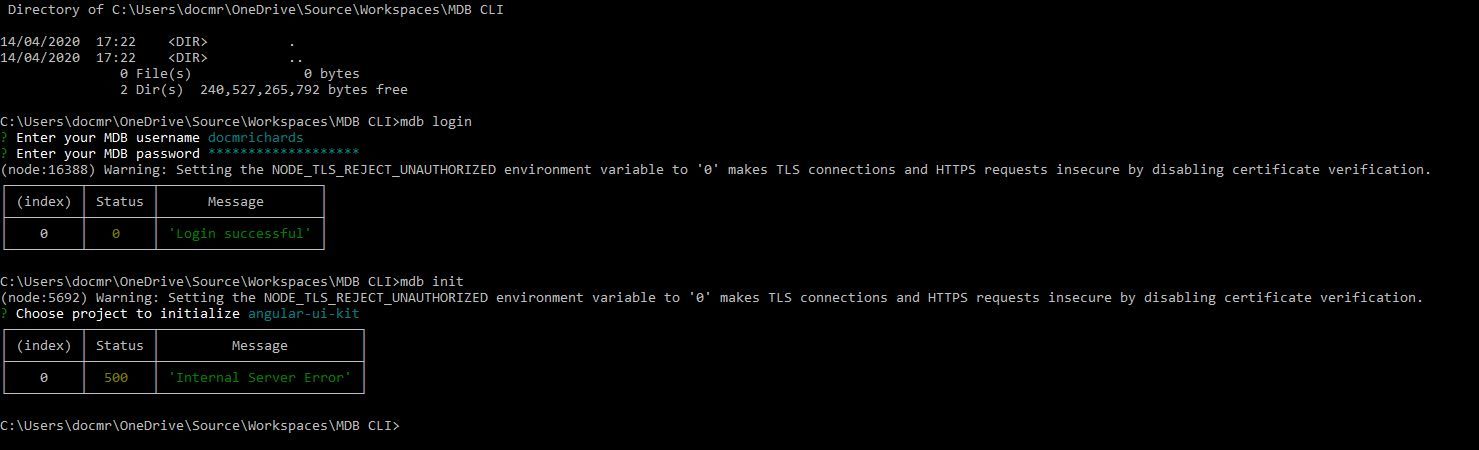
Screen shots below of result of build process and navigating to url:
Grzegorz Bujański staff commented 12 months ago
Hi. Please try again this link: https://mdbootstrap.com/projects/docmrichards/docmrichards-CLI-project/ It's working now.
DocMRichards pro commented 12 months ago
Many thanks Grzegorz, working fine. Will the hosted website be expired automatically or is there a way to remove/manage these published projects?
Grzegorz Bujański staff commented 11 months ago
Try unpublish command. You can use mdb help to see all available options.
Answered
- User: Pro
- Premium support: No
- Technology: jQuery
- MDB Version: 4.16.0
- Device: PC
- Browser: Command Line
- OS: Windows 10
- Provided sample code: No
- Provided link: No
Grzegorz Bujański staff commented 12 months ago
Hi. We fixed it. It should work now. Please let me know if you still have problems.
DocMRichards pro commented 12 months ago
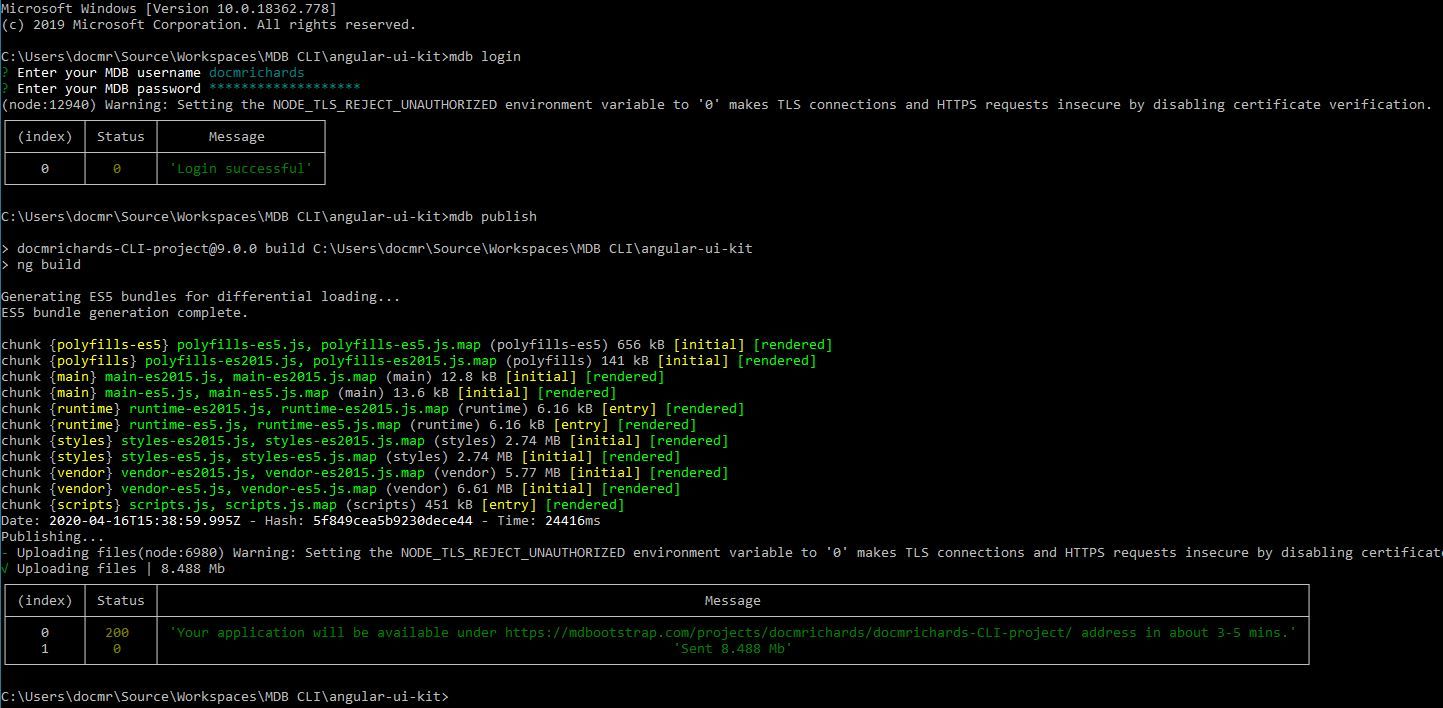
Thanks - Compile and Build is now fine and publish seemed to work with status 200 and message 'Your application will be available under https://mdbootstrap.com/projects/docmrichards/docmrichards-CLI-project/ address in about 3-5 mins.'
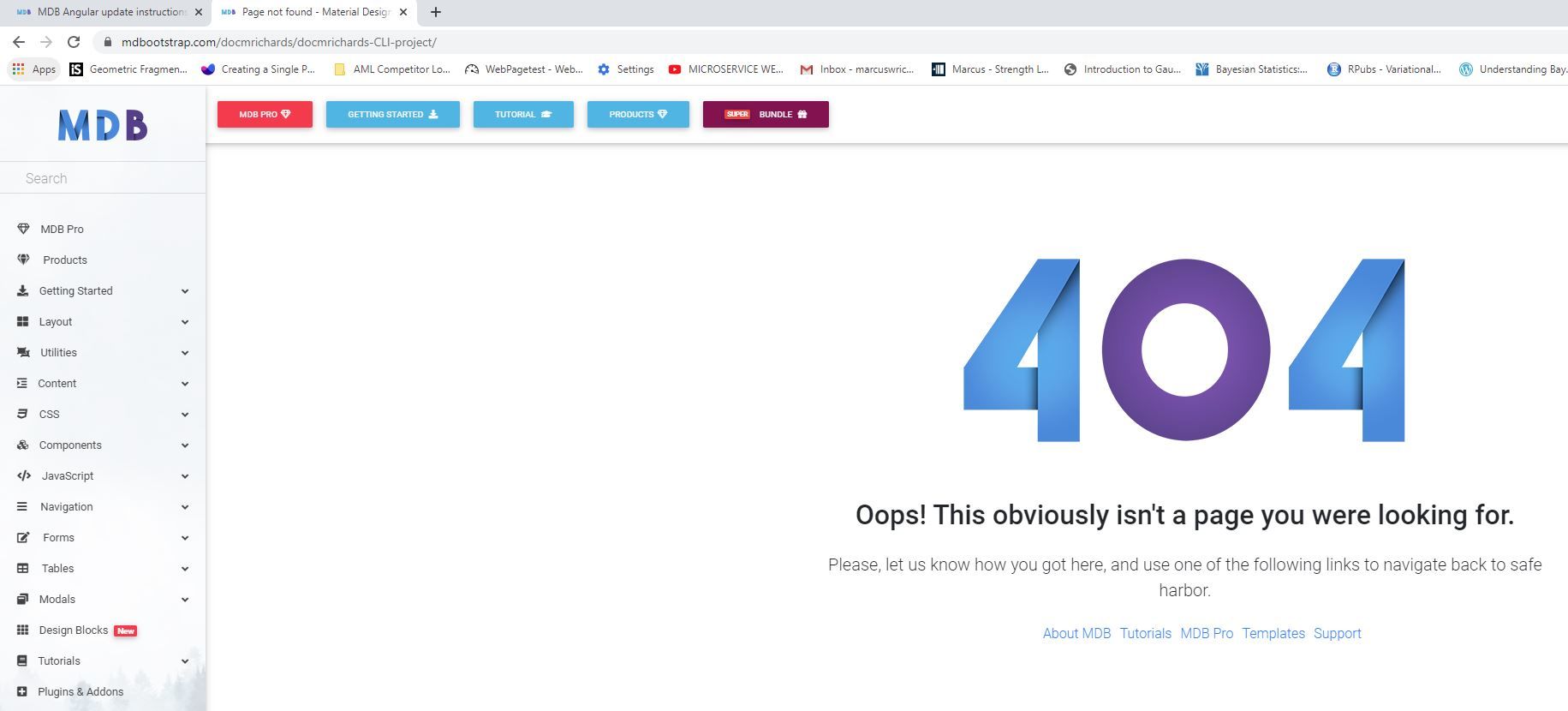
But although I waited for some time, at least 10 minutes, the target url still gives 404 error. The url redirects to drop the /projects/ as: https://mdbootstrap.com/docmrichards/docmrichards-CLI-project/
I have attached screen shot in new comment below.
ghandisambi commented 2 months ago
hi, I have the same problem and I don't know how to fix that
Sebastian Kaczmarek staff pro premium commented 2 months ago
@ghandisambi It should work now
ghandisambi commented 2 months ago
No, I think the problem is on my computer
Sebastian Kaczmarek staff pro premium commented 2 months ago
@ghandisambi What error do you see? "Internal server error" or something else?
ghandisambi commented 2 months ago
it's "Internal server error"
Sebastian Kaczmarek staff pro premium commented 2 months ago
@ghandisambi Have you tried logging out and in again?