Topic: Look of Jumbotron has changed
Hi
I hope you are well.
The image below shows the Jumbotron component from a previous version of MDB at the top and with 4.19.0 at the bottom.In the newer version of MDB the box under the image is now the same width as the image and not transparent.I preferred the older version (top image) - is there anything I can do to make it look as it did previously?
Thanks
Kaz


Hi
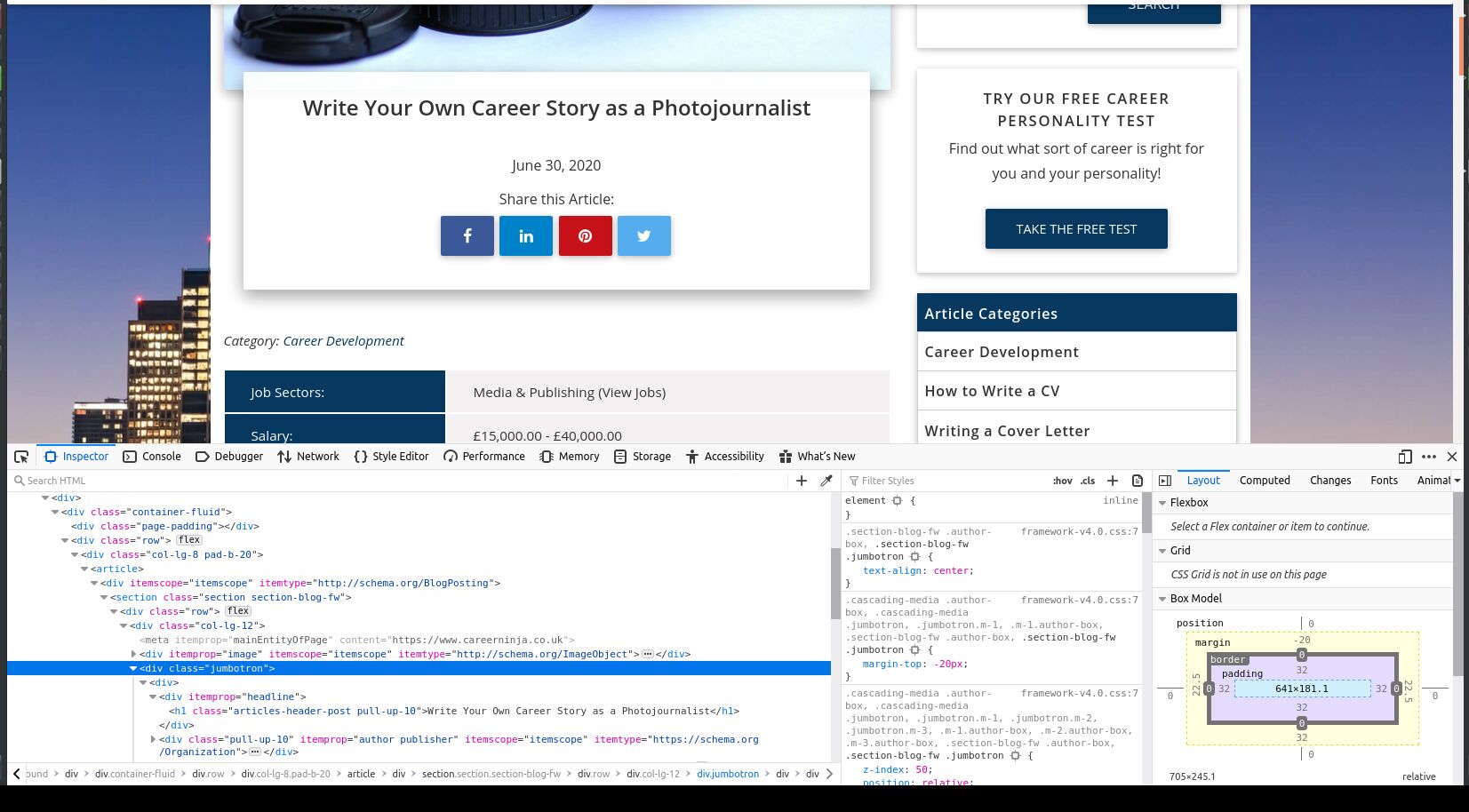
I have just checked and can confirm it is a jumbotron and it is in MDB Pro 4.3.2 which I cannot roll back to in a snippet. Is there any way you can roll a snippet back to 4.3.2? Here is a screenshot showing the jumbotron class:
Thanks Kaz
Grzegorz Bujański staff commented 9 months ago
Ok, now everything is clear. Note that version 4.3.2 was released over two years ago, and the first stable version of MBD 4 was version 4.4.1 (https://mdbootstrap.com/docs/jquery/changelog/#v4-4-1) A lot has changed between these versions. For example in MDB 4.4 BETA VERSION in the changelog you can find this: "Droped cascading jumbotron for cascading card reverse for sake of syntax simplification and unification.". So if you want to get the same effect in a newer version of MDB you should use this solution: https://mdbootstrap.com/docs/jquery/components/cards/#reversed-cascade
kaz pro commented 9 months ago
Hi
Thank you for your reply. I will update mine code to use the card with reversed-cascade.
Kind Regards Kaz
Grzegorz Bujański staff commented 9 months ago
I'm glad I could help. Best, Grzegorz
Resolved
- User: Pro
- Premium support: No
- Technology: jQuery
- MDB Version: 4.19.0
- Device: Laptop
- Browser: Firefox
- OS: Ubuntu 20.04
- Provided sample code: No
- Provided link: No
Grzegorz Bujański staff commented 9 months ago
Hi. We didn't change it. Can you provide the example you used to build this element? It would be best if you also created a snippet.