Topic: Input label don't move up
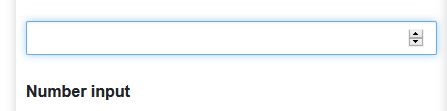
Expected behavior When an input field is set, the label should automatically move up.
Actual behavior
No animation, the input keeps a basic behaviour
Resources (screenshots, code snippets etc.)

Hi,
Can you please provide the code you are using to achieve this input? Using code from the documentation seems to be working fine. Please see my snippet https://mdbootstrap.com/snippets/jquery/marcin-luczak/2852627
Regards, Marcin

OK, the code in your snipet works better than the one given in the mdb input code page : class "form-outline" alone instead of "md-form form-outline". Maybe should you correct it... Anyway, thank you Marcin !
Marcin Luczak staff commented 2 months ago
Thank you for your suggestion. Moving label is a behavior for material design input, and this is why you need to add md-form to form-outline to achieve this functionality.
Best, Marcin
bissounet pro commented 2 months ago
I agree with you, but the code in question was under a moving label demo ...
Marcin Luczak staff commented 2 months ago
Having read your comment about form-outline now I've realized you might have been using the documentation for MDB5 instead of MDB4(jQuery version). In MDB5 forms components use form-outline and in MDB4 we use md-form md-outline. Please check whether you've been using these docs https://mdbootstrap.com/docs/standard/forms/input-fields/ (MDB5)
or these docs https://mdbootstrap.com/docs/b4/jquery/forms/inputs/#outline-inputs (MDB4).
I'm sorry for this misunderstanding. Best, Marcin
bissounet pro commented 2 months ago
OK thank you Marcin. I'm just starting to understand your (complex) offer ;-) Best, Jean-Luc
Marcin Luczak staff commented 2 months ago
I'm glad that everything is ok, now. I wish you a pleasant work with our product :)
Best, Marcin
Resolved
- User: Pro
- Premium support: No
- Technology: jQuery
- MDB Version: 4.19.2
- Device: PC
- Browser: All
- OS: W10
- Provided sample code: No
- Provided link: No