Topic: iframe height fit

I made the layout with the tutorial from https://mdbootstrap.com/education/bootstrap/admin-dashboard-introduction/
I have a problem with iframe height.
In the <main> tags I have an iframe that refers to the pages:
<iframe src="mypage.html" id="content_all" frameborder="0" style="display:block; height:100%; width:100%;"></iframe>
The width works 100% well but the height does not.
Thank you very much for the help.
I attach two images where the problem is seen.

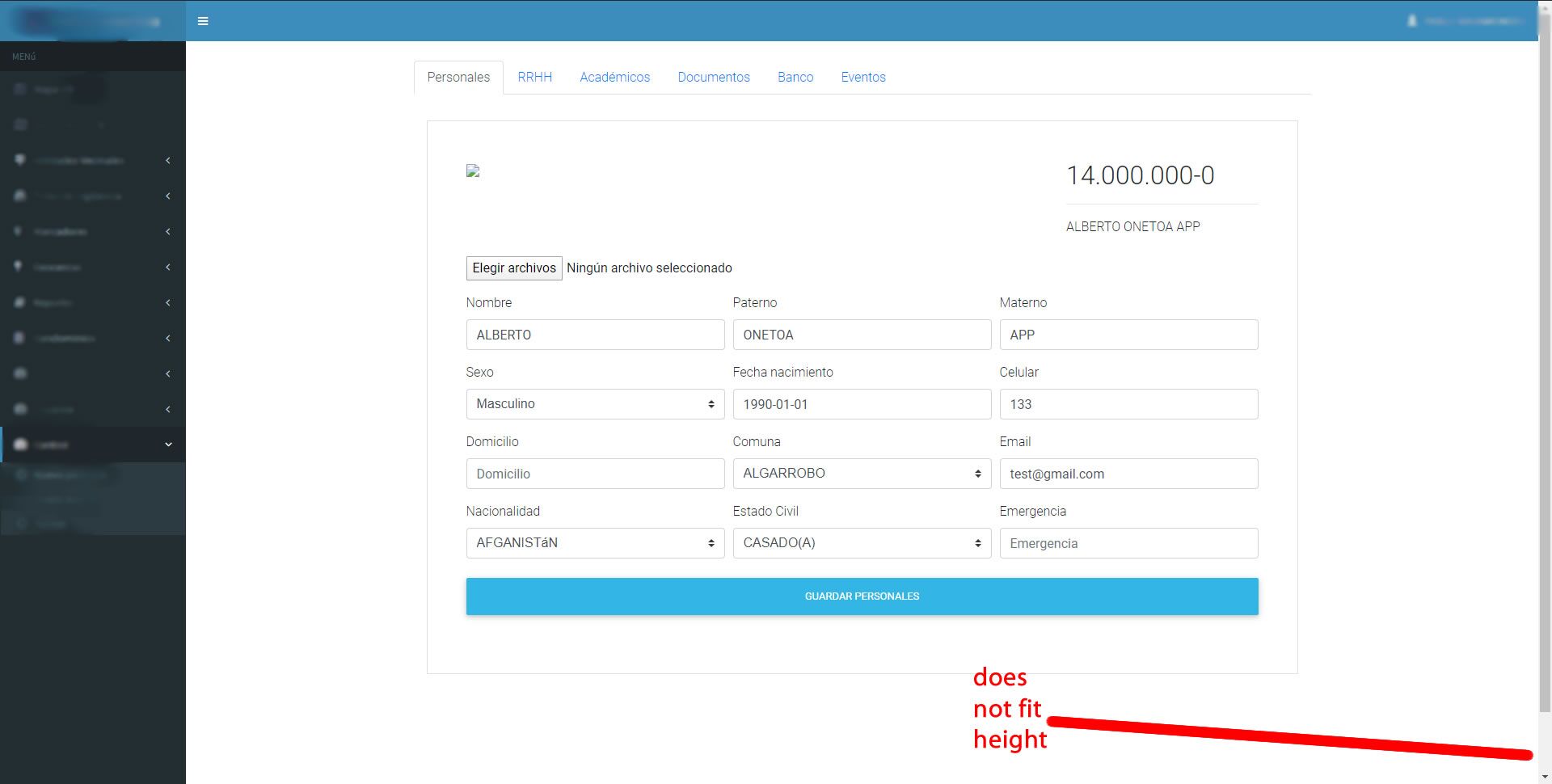

Hi
Could you please add your code into snippet editor? I'll try to find the issue.
https://mdbootstrap.com/snippets/
Regards
pabloabl pro premium commented 10 months ago
Hi Tomek, thanks for your answer, this is the link https://mdbootstrap.com/snippets/jquery/pabloabl/2206595?action=forum_snippet
Thanks and best regards. Pablo.
Grzegorz Bujański staff commented 10 months ago
Hi. Iframe is set up well. But notice that you set 100% of the height of the parent element. In this case, this refers to body. Body is too low. Change body height for example to 1000px.
Answered
- User: Pro
- Premium support: Yes
- Technology: jQuery
- MDB Version: 4.19.0
- Device: PC
- Browser: Chrome
- OS: Win10
- Provided sample code: No
- Provided link: Yes