Topic: mdb-date-pickers inline disabled mode does not work
When mdb-date-pickers in inline mode is disabled the typing box is inactive correctly, but the inline icon when clicked opens the calendar with the option to change the date as shown.
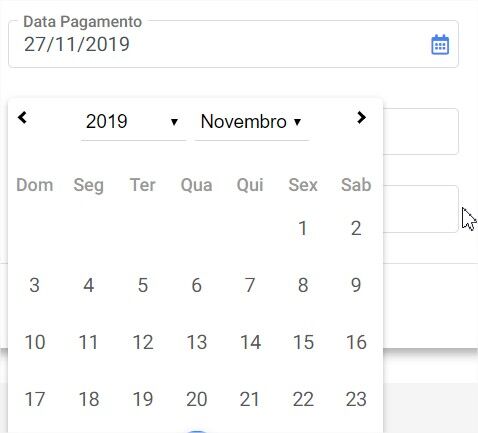

Hi! Which version of MDB are you using?
I can not reproduce your problem, below my example:
<div class="container">
  <div class="row">
    <div class="col-md-6">
      <mdb-date-picker
        [inline]="true"
        name="mydate"
        [disabled]="true"
        [placeholder]="'Selected date'"
        [(ngModel)]="model"
        [outlineInput]="true"
        required
      ></mdb-date-picker>
    </div>
  </div>
</div>
And everything looks to work fine - clicking the icon does not open date picker.
Best Regards, Bartosz.

Actually I have two problems, the first is that when I disable datepicker the icon is activating the calendar and changing the date. The second is when using internally in a cell of a table is hiding the calendar as image.
I am using version 8.7.0.
Here's the way I'm using
<td><mdb-date-picker [inline]="true" [options]="datePickerOptions" formControlName="dt_vencimento" [disabled]="true"></mdb-date-picker></td>
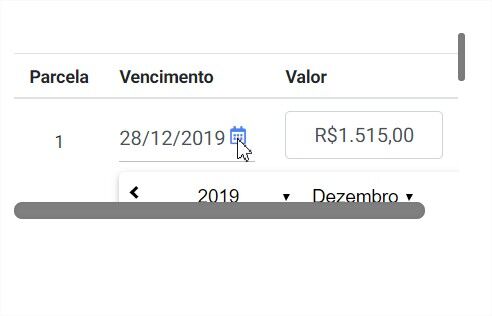
Bartosz Termena staff commented a year ago
Hi!
Thank you for reporting the problem. We will take a closer look at that.
Best Regards, Bartosz.
Wanderson pro commented a year ago
Good Morning,
Do you have any position on the issues at hand.
Att.
Arkadiusz Idzikowski staff commented a year ago
This problem should be resolved in v8.8.1. Please upgrade your version.
You can read about changes in our changelog: https://mdbootstrap.com/docs/angular/changelog/
Answered
- User: Pro
- Premium support: No
- Technology: Angular
- MDB Version: 8.7.0
- Device: All
- Browser: All
- OS: All
- Provided sample code: No
- Provided link: No