Topic: Date Picker problems

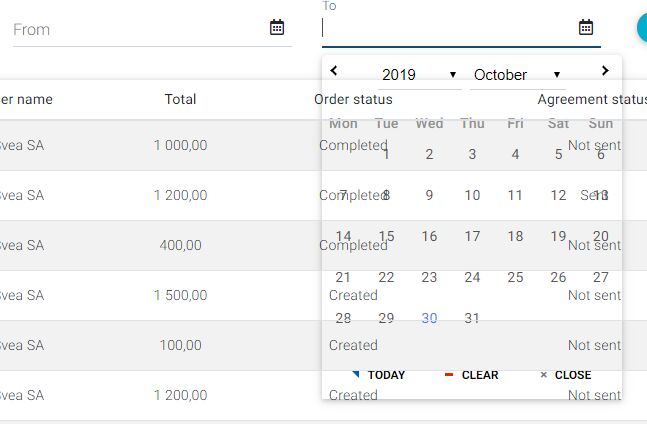
Problem 1: I have two in line datepickers. when I have the first datepicker ('From' datepicker) opened and I try to click the second one('To' datepicker), it looks transparent and I can't choose a date. I have to mention that, when I have the second one open and I try to open the first one, the behaviour is normal.
 <mdb-date-picker #fromDatePicker [options]="globals.datePickerOptions" [inline]="true" [label]="'Filter.FromDate' | translate"></mdb-date-picker>
 <mdb-date-picker #toDatePicker [options]="globals.datePickerOptions" [inline]="true" [label]="'Filter.ToDate' | translate"></mdb-date-picker>

 datePickerOptions: IMyOptions = { dateFormat: this.dateFormat.toLowerCase(), closeAfterSelect: true };
Problem 2: I have another date picker in the bottom of a page. When I click on the icon it works good,
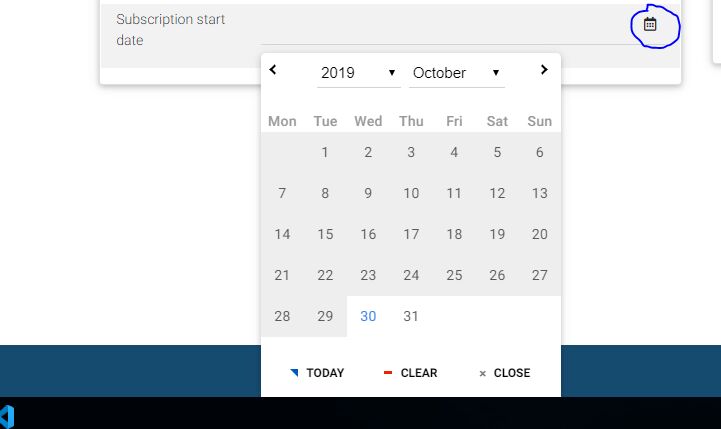
but when I click on the input or on the label it works strange. the datepicker opens but doesn't extend the page. I can see only half of the datepicker, and second one I click on it it opens and it closes back very fast.
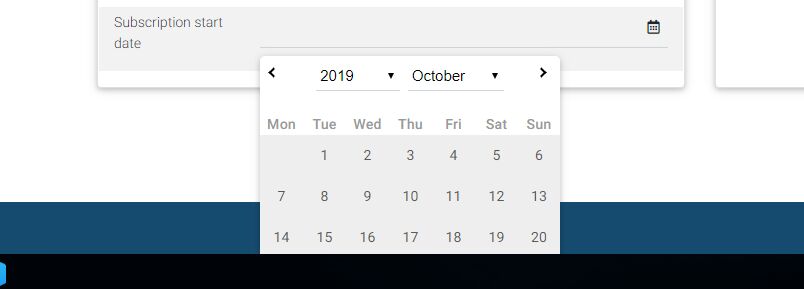
<mdb-date-picker #subscriptionStartDatePicker formControlName="subscriptionStartDate" [options]="globals.datePickerOptions" [inline]="true"></mdb-date-picker>
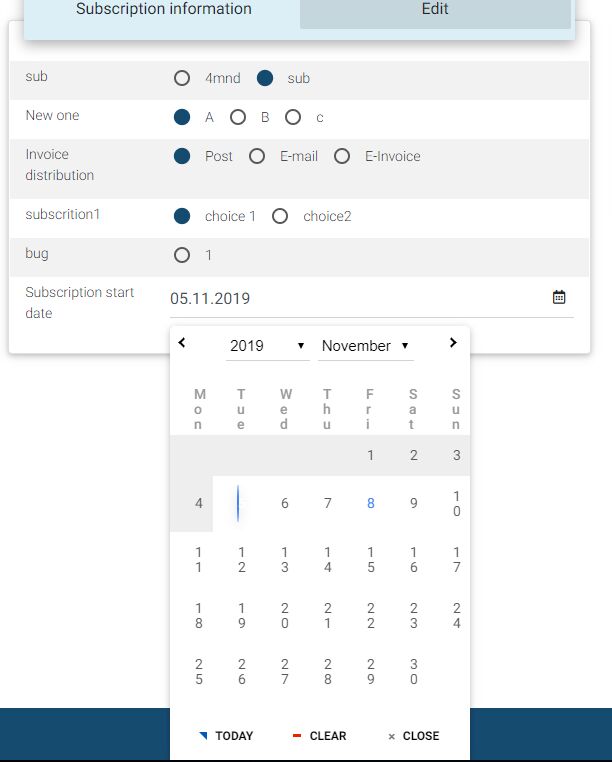
Hi! Any news on the problems? Also, I have another problem. I have a date picker in a mdb-tab. After the update to 8.5.0 it looks like this.
Statie George pro commented a year ago
and the picked value('5' in the example) disappears
Bartosz Termena staff commented a year ago
Hi!
Your problem with transparent date-picker in MDB 8.6.0 should disappear.
Could you send demo app with date-picker in tabs on my email - b.termena@mdbootstrap.com ? Best Regards, Bartosz.
Geo Statie pro commented a year ago
ok. and the problem that I described, with the strange beahiour of the datepicker from the bottom of the page, is it solved, also? It was, also, in the demo I sent.
Bartosz Termena staff commented a year ago
Dear @Geo Statie
I assure you, this problem will be fixed in the next MDB version.
Best Regards, Bartosz.
Geo Statie pro commented a year ago
Hi!
I updated to 8.7.0, but the problem with the strange beahiour of the datepicker from the bottom of the page is still unsolved. Can you tell me please, if this should work or it is not solved yet? Thank you!

Hi!
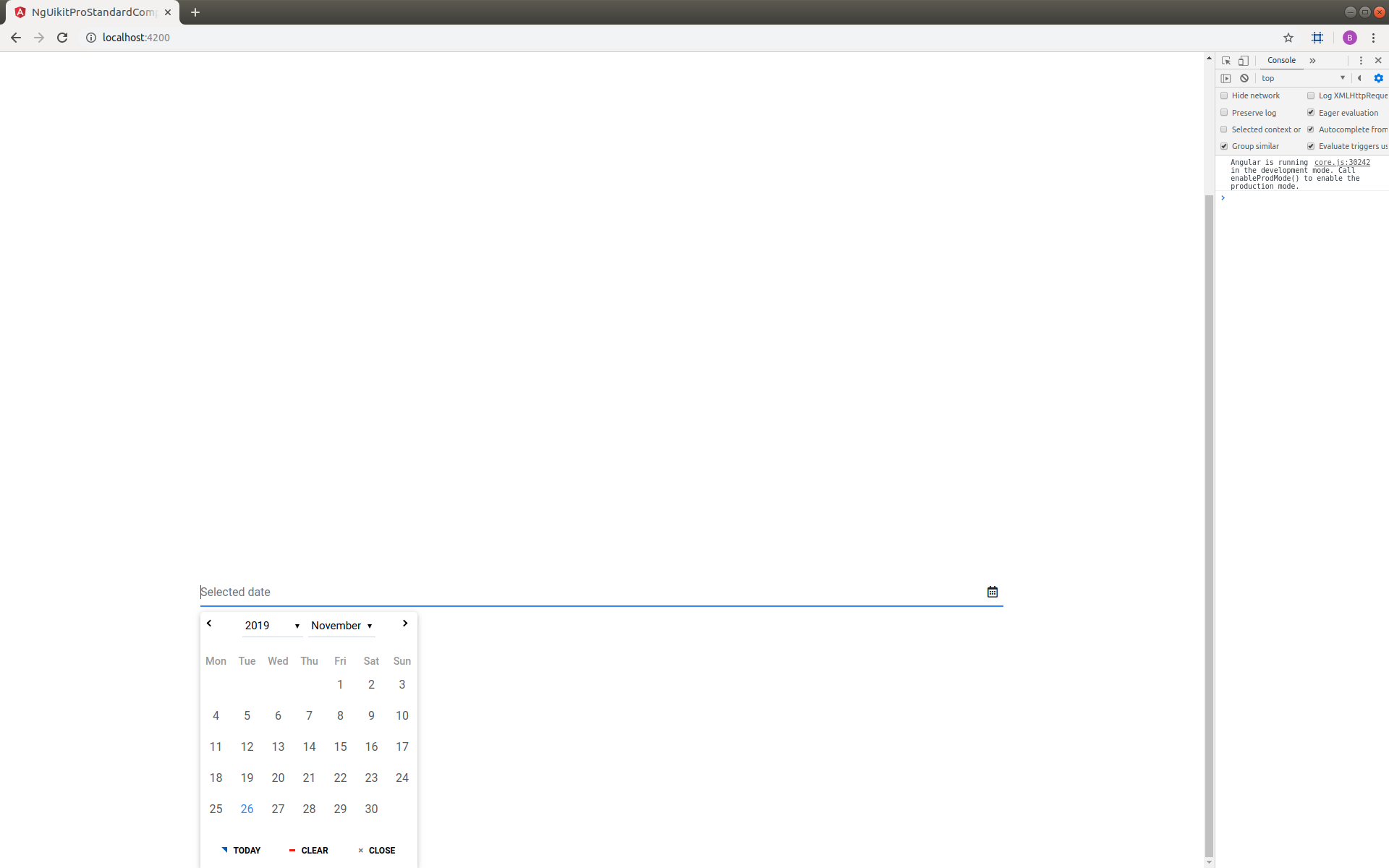
Could you provide an example of this strange behavior? here is my example:
<div style="height:950px"></div>
<div class="container">
  <div class="row">
    <div class="col-md-12">
      <mdb-date-picker
        [inline]="true"
        name="mydate"
        [placeholder]="'Selected date'"
        [(ngModel)]="model"
        required
      ></mdb-date-picker>
    </div>

    <div class="col-md-12"></div>
  </div>
</div>
After click on the input or on the label the datepicker opens and extend the page
Best Regards, Bartosz.
Geo Statie pro commented a year ago
Hi! You asked me to provide a demo. I provided. The strange behaviour can be observed in the demo. Thank you.
Arkadiusz Idzikowski staff commented a year ago
The first two problems should be resolved in version 8.7.0. Please make sure that the new version is installed correctly, maybe there is a problem with npm cache. You can try to remove the node_modules and package-lock.json and run npm install command again.
We couldn't reproduce the third problem (with broken styles of date picker content). This example is not available in the demo app that you sent to us. We need some more information on how to reproduce this unexpected behavior on our end.
Open
- User: Pro
- Premium support: No
- Technology: Angular
- MDB Version: 8.5.0
- Device: any
- Browser: chrome
- OS: windows
- Provided sample code: No
- Provided link: No
Arkadiusz Idzikowski staff commented a year ago
Could you send a simple demo app on which we will be able to reproduce that? You can send it to a.idzikowski@mdbootstrap.com.
Statie George pro commented a year ago
Hi! I sent a demo app on a.idzikowski@mdbootstrap.com e-mail.
Arkadiusz Idzikowski staff commented a year ago
Thank you for the demo, we will take a closer look at that and try to find the cause of this problem.